Thursday, March 24, 2011

Firefox 4 Is Better Than Microsoft Internet Explorer 9: 10 Reasons Why

1. A better design
One of the major improvements to both Internet Explorer and Firefox has been better designs. Both browsers feature a slimmed-down interface that will likely appeal to more users. But Firefox 4’s design is a little bit better. It looks somewhat similar to Opera 11 and delivers much better menu designs. A change to how tabs are displayed—on top by default—is also a welcome addition. One can easily go on about all the changes made to Firefox 4, but suffice it to say that its interface tops Internet Explorer 9 in usability and aesthetic appeal.

2. Stability
Microsoft has said time and again that Internet Explorer 9 is the most stable browser it has released yet. And that’s certainly the case. But so far, Firefox 4 seems to be a tad more stable. One of the key reasons for that is the browser’s ability to continue working, even though plug-ins, like Flash, QuickTime, or Microsoft’s Silverlight fail. Does that mean Firefox will never crash? Of course not, but in my testing to this point, it has proven more stable than Internet Explorer 9.

3. Multi-platform support
Considering there is a growing number of Mac OS X users out there, those folks should know that Firefox 4, unlike Internet Explorer 9, supports their favored operating system. Mozilla’s browser also works with Linux. Perhaps most importantly, Firefox works with Windows XP. Internet Explorer 9, on the other hand, only works with Windows Vista and Windows 7. That’s a huge issue for Microsoft, considering XP still is used by the majority of PC users—about 55 percent—around the world. And it’s another win for Firefox 4.

4. Microsoft’s brand problems
One of the biggest issues Microsoft faces right now is that it’s trying to overcome its failures in past versions of Internet Explorer. There are still millions of people around the globe that don’t trust that Microsoft’s browser can be secure and stable. Mozilla, on the other hand, doesn’t face that identity crisis. Thus it doesn’t necessarily need to worry about its brand affecting its decisions when it comes to adding or removing features. If users don’t trust Microsoft’s ability to keep its browser secure and they’re looking for other options, they should go with Firefox 4.

5. There’s no speed advantage
When Microsoft launched Internet Explorer 9, the company was touting the speed of its browser. Now just about everyone who tries it would agree that the new software loads Web pages extremely quickly. But so does Firefox 4. In most cases, the two browsers were evenly matched, in my testing. In other cases, one bested the other, depending on the site. Overall, though, Internet Explorer 9 and Firefox 4 seem to be in a practical dead heat when it comes to page-loading times. And considering all the other advantages Firefox 4 offers, a tie shouldn’t be enough for someone to opt for Internet Explorer 9.

6. Security is a going concern
Microsoft did an outstanding job bolstering the security of Internet Explorer 9. It did so by protecting users against “socially engineered attacks,” browser-focused malware attacks, and flaws on Web sites. But Internet Explorer 9 has only been in use for a limited amount of time. And so far, not enough people have downloaded it to truly determine how secure it really is. Does that mean it will be proven insecure? Not a chance. It might be one of the more secure browsers ever launched. But given Microsoft’s history with security problems, and considering the browser has yet to be fully tested by malicious hackers in the wild, waiting to see how well Microsoft secured Internet Explorer 9 might be a good idea.

7. Add-ons have always been Firefox’s strong suit

According to Mozilla, Firefox 4 supports more than 200,000 add-ons. And as old-time Firefox users know quite well, add-ons have always been one of the main reasons to use the browser. In Firefox 4, the browser supports restartless add-ons, which means users don’t have to restart their browser after installing an add-on utility. Considering the sheer number of useful add-ons and the fact that Firefox 4 makes it even easier to use them, it’s easy to see why Mozilla’s latest browser is a worthy download.

8. Sync works beautifully
Mozilla has added the ability for users to sync Bookmarks, Preferences, History, Passwords, and Tabs with other versions of Firefox 4 running on a person’s computers and Android devices. It’s an outstanding feature that is yet another good reason for people with multiple browser installations to use Firefox 4. It’s convenient and it works extremely well.

9. Standard support is a plus
Mozilla realized that support for integral Web standards was an absolute necessity in Firefox 4 and the organization delivered in a big way. Among other features, browser has ample support for HTML5, including WebM high-definition video. As Mozilla itself points out, Firefox comes with support for “3D graphics, offline data storage, professional typography, touch screen interfaces, and the Mozilla Audio API to help create visual experiences for sound and more.” Combine all that and one will find an outstanding browsing experience in Firefox 4.

10. Future-proofing
When evaluating browsers, it’s always important for Web users to determine which platform will do the best job of adapting to the constantly changing Web world. For now, it seems that Firefox 4 is that winner. Aside from the fact that it supports important Web standards and it comes with new features, Mozilla updates its browser often. That means that Firefox 4’s launch was just a starting point. And over the next several months, expect many more worthwhile updates to the platform. 

Tuesday, March 22, 2011

Facebook policy chief admits site needs to improve deletion tools for a minority of users

Facebook’s European director of policy has admitted that the site needs to improve its tools to help those “exceptional” users who need to delete data posted on the site forever.
Richard Allan, talking at a Westminster Media Forum debate entitled, ‘Social media, online privacy and the ‘right to be forgotten’', said that the majority of Facebook’s 500 million users around the world were more concerned that their data, such as photos and videos, remained on the service rather than being deleted.
Allan, who was en route to Brussels to take part in continued discussions on the European Union’s plans to force social networks to completely erase personal data, said that it would be a mistake to amend data protection laws on the basis of a few exceptional cases.
He said that “hard cases make bad law” and that the majority of the people using Facebook want a guarantee that their data will stay on the service, rather run the risk of any of it being deleted.
However, he did admit that the site still needed to “find mechanisms to help in exceptional cases” where data needed to be deleted.
Allan used young people who needed to delete their “youthful expressions” from Facebook when they are older, in order to not have embarrassing comments used against them in job interviews or in any other walk of life – to illustrate what he meant by exceptional cases.
All About Facebook

Monday, March 21, 2011

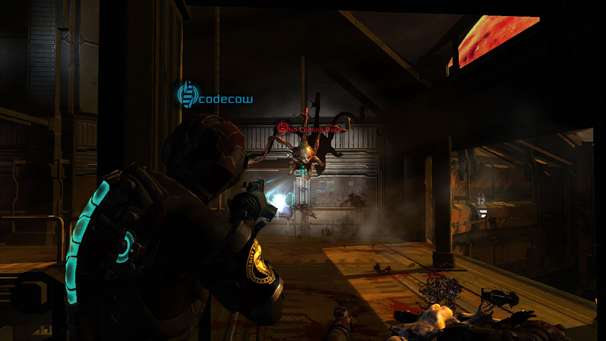
Dead Space 3


With the second outing of Isaac Clarke having been recently devoured by gamers worldwide, and the first DLC having been given a prompt release, we’re all still fairly in awe of just how much the series has come along since the original Dead Space back in 2008. We were certainly very enamoured by it in our review for the game but, having picked our collective jaws off the floor, we though it might be time to consider how Visceral games could improve upon the series for its next major instalment.
First things first, a few changes in terms of story focus would help the next game stay fresh. Please note that, in the following few paragraphs, there may be potential spoilers for those who haven’t completed Dead Space 2 yet. With Isaac surviving the encounter with the marker on the Sprawl, in conjunction with the conversation about the other markers after the game’s credits, we can only assume that Dead Space 3 will revolve around Isaac searching for the remaining markers. In a way I’d rather this wasn’t the case for a number of reasons.
For a start, it would be nice to have a new protagonist. Preferably one with a bit more character than Isaac. I generally thought Clarke was a fantastic protagonist but, after receiving complaints that his silent participation in the original game was not enough, his sudden vocal characterisation in Dead Space 2 felt like a half measure. Isaac always seemed to me to epitomise the silent protagonist who can represent the every-man. It took me some time to get used to him even having a voice in Dead Space 2, but even after adjusting I still just felt unconvinced by his suddenly chatty nature. Forcing Clarke into this position didn’t really convince me, so maybe a new protagonist would solve the problem? After all, the character change seen in the recent Severed DLC for Dead Space 2 made the whole experience felt fresh and new, and Dead Space 3 could do with the same treatment.
Having said this, the Severed chapters altered the isolated and solitary elements that made the two Dead Space games so frightening. The desolate horror of the Dead Space games was well handled in Dead Space 2, and we can only hope that they take this even further in a potential third game. One aspect that really increased the scares in Dead Space 2 was the use of psychological horror that was facilitated by Isaac’s dementia. The problem with having Clarke as the protagonist in Dead Space 3 would be that there would be no way they could include any psychological trickery on account of Isaac ridding himself of his mental ills at the end of DS2.


The issue of loneliness is also something that ought to be addressed in the game’s multiplayer. The online component of DS2 was a good start, but it didn’t really retain the game’s classic feel of solitary tension, on account of the many team-based modes. This could easily be fixed if Visceral just create more modes that pit you on your own against the necromorph onslaught. Infestation type modes that have you swapping between players as the single engineer could really put the scares on, especially with human controlled necromorphs looking for new and bizarre ways to sneak up on you.
There are also certain improvements that could be made to the single player aspect of the game. Pacing is one thing that could do with a bit of tightening. The beginning segments of DS2 were fantastic. Unfortunately, the game wasn’t completely able to keep up that same level of engagement for the duration. If Dead Space 3 could keep up such an intense and cinematic pacing for the whole game, it will be game of the year for 2012/13 for sure. If they can also replicate the amazing set pieces of Dead Space 2, then the next DS title will probably also be game of the decade.


In terms of additions between DS1 and 2 there wasn’t a huge amount to speak of either. What they did add was enjoyable. In terms of weapons the mine launcher and javelin gun really alternate the game’s play dynamics and the stalker and child enemies really sent chills up my spine. That said, aside from the odd weapon and enemy type there wasn’t a lot added between the two games. For DS3 we definitely need more weapons and items and a much more diverse array of foes to battle.
With two titles under its belt already, the Dead Space series has had time to solidify its gameplay mechanics. What we need then is just a little bit more of what made the games so intense and satisfying. It’s the horror and the story that needs the real changes. Not because the originals were bad by any means, but just to keep fans on their toes. Until more concrete details come in on the future of the Dead Space series, all we can hope is that they won’t resort to a game about Isaac having to take down yet another marker. Dead Space 3 deserves better than that.
Any other changes you’d like to see for the next Dead Space title? Help us feed the discussion in the comments below.

Sunday, March 20, 2011

Super Mario Bros. turned into an awesome first-person game

Level 1-1 from Super Mario Bros. has to be the most famous part of any video game, ever. The art, obstacles, the design, and, most of all, the sound, are so deeply ingrained in people that we’ve seen spinoffs of it in every medium imaginable. In the video above a clever 3D designer gave the level a first-person perspective. The catch is that you run through it while watching the standard side-scrolling view and then gave it some great next-gen textures and sound.
If you haven’t watched the video yet, this will explain it all:


My favorite part is the transparency on the side-scrolling view. It turns the original game view into a HUD element, which is matched by a upgrade status indicator on the bottom right (for your fireball and star) and then a recently kill list on the bottom left (Example: Mario fireballs Goomba). It’ll never be a real game, but it’s quite cleverly done.
The game went totally 2009 and even integrated some RPG elements:

If that wasn’t enough there are achievements, like “Qua-a-a-ad!” which you get for killing four enemies in a row. So yes, this seems to be part remake and part satire, but it’s still really well done.
Of course the idea isn’t entirely original, Super Paper Mario had the ability to go between 2D and 3D views and while that wasn’t first-person, it actually managed to outdo this reimagining. That’s because sections of SPM couldn’t be beaten in 2D; you had to go into 3D mode to get past certain sections. If Super Mario Bros. was to be translated to a first-person game it could be played through entirely in 2D mode without ever having to bother with the main view.
If you are curious about how a high-tech video like this was made, the notes tell us that it was designed in 3ds Max, FumeFX, and Adobe After Effects. While the notes don’t say anything about how long it took to make, they do point out that it took an incredible 60 hours to render. That either means that some surprisingly complex stuff is going on in the video or that someone needs a new computer.

Hacker Known as "GhostExodus" Sentenced to More Than Nine Years in Federal Prison


For those who do not recall the name Jesse William McGraw, a brief refresher: He's the 26-year-old Arlington man Formerly Known as GhostExodus of the Electronik Tribulation Army who was arrested in June 2009 for hacking into 14 computers at the W.B. Carrell Memorial Clinic on N. Central Expressway, where he worked as a night-shift security guard. According to the feds, McGraw broke into computers containing patient info and those operating the HVAC and intended to "use his compromised systems to commit additional crimes on or before July 4, 2009, a date that McGraw, according to the affidavit, called 'Devil's Day.'" McGraw, who was indicted one month later, was brought down by posting his exploits to YouTube, where they were discovered by Mississippi State University computer science student Wesley McGrew.

In May of last year, McGraw pleaded guilty to an indictment charging him with two counts of transmitting a malicious code; the feds said he "admitted that he intended to use the bot to launch a denial of service attack on the website of a rival 'hacker' group," that rival being none other than Anonymous.

Yet in a letter he sent me from the Federal Correctional Institution in Seagoville at the end of last year, McGraw insisted he was guilty of no such thing: "Sure, I've done my share of juvenile posturing," he wrote, "but I've never tampered with patient records, turned off an HVAC, stolen identities, or people's hard earned money." He wrote that "hackers are policeing [sic] the internet," and that "E.T.A. helped a lot of innocent victims that Anonymous has terrorized."

But the U.S. Attorney's Office just sent word: McGraw was sentenced late yesterday by U.S. District Judge Jane J. Boyle to 110 months on each of the two counts, to be served concurrently. Says the release, which follows in full: "In reaching this sentence, Judge Boyle cited the need for those who commit computer crimes to understand the potentially devastating consequences of their actions, to promote respect for the law, and to deter others involved in or contemplating hacking. Judge Boyle ordered McGraw to make restitution to the occupants in the building affected by his criminal conduct, specifically the W.B. Carrell Memorial Clinic, the North Central Surgery Center, and the Cirrus Group."

The feds' lengthy recap follows.
FORMER SECURITY GUARD, WHO HACKED INTO HOSPITAL'S COMPUTER SYSTEM, IS SENTENCED TO 110 MONTHS IN FEDERAL PRISON

Defendant Posted Video of Himself Compromising a Hospital's Computer System on YouTube

DALLAS -- Jesse William McGraw, a former contract security guard at the North Central Medical Plaza on North Central Expressway in Dallas, who admitted hacking into that hospital's computer systems, was sentenced late yesterday afternoon by U.S. District Judge Jane J. Boyle to 110 months on each of two counts, to be served concurrently, announced U.S. Attorney James T. Jacks of the Northern District of Texas. In reaching this sentence, Judge Boyle cited the need for those who commit computer crimes to understand the potentially devastating consequences of their actions, to promote respect for the law, and to deter others involved in or contemplating hacking. Judge Boyle ordered McGraw to make restitution to the occupants in the building affected by his criminal conduct, specifically the W.B. Carrell Memorial Clinic, the North Central Surgery Center, and the Cirrus Group.

In May 2010, McGraw, a/k/a "Ghost Exodus," 26, of Arlington, Texas pleaded guilty without a plea agreement to an indictment charging two counts of transmitting a malicious code. He has been in custody since his arrest in June 2009.

During his 11:00 p.m. to 7:00 a.m. shift at the North Central Medical Plaza, McGraw gained physical access to more than 14 computers, including a nurses' station computer on the fifth floor and a heating, ventilation and air conditioning (HVAC) computer located in a locked room. The nurses' station computer was used to track a patient's progress through the Carrell Memorial Clinic and medical staff also used it to reference patients' personal identifiers, billing records and medical history. The HVAC computer was used to control the heating, ventilation and air conditioning for the first and second floors used by the North Central Surgery Center.

McGraw installed, or transmitted, a program to the computers that he accessed that allowed him, or anyone with his account name and password, to remotely access the computers. He also impaired the integrity of some of the computer systems by removing security features, e.g., uninstalling anti-virus programs, which made the computer systems and related network more vulnerable to attack. He also installed malicious codes (sometimes called"bots") on most of the computers. Bots are usually associated with theft of data from the compromised computer, using the compromised computer in denial of service attacks (DDoS), and using the computer to send spam. McGraw knew his actions would damage the security and integrity of the computers and computer systems. McGraw was the self-proclaimed leader of a hacking organization called the "Electronik Tribulation Army" (ETA). He advocated compromising computers and computer systems in instructions that he posted online for members of the ETA and other individuals interested in engaging in computer frauds and participating in DDoS attacks.

In this case, McGraw admitted that he intended to use the bots and the compromised computers to launch DDoS attacks on the websites of rival hacker groups. ETA's rival hacker groups included "Anonymous," the hacker group currently claiming responsibility for attacks against PayPal and others in support of Wikileaks.

On Feb.12, 2009, McGraw abused the trust placed in him and bypassed the physical security to the locked room containing the HVAC computer. At approximately 11:35 p.m., he began downloading a password recovery tool from a website, which he used to re-recover passwords. By Feb. 13, 2009, at approximately 1:19 a.m., McGraw, again without authorization, physically accessed the HVAC computer and inserted a removable storage device and executed a program which allowed him to emulate a CD/DVD device. He remotely accessed the HVAC computer five times on April 13-14, 2009.

On April 28, 2009, at about 1:45 a.m., McGraw abused the trust placed in him as a security guard and accessed without authorization a nurses' station computer. McGraw made a video and audio recording of what he called his "botnet infiltration." While the theme of "Mission Impossible" played, McGraw described step by step his conduct, accessing without authorization an office and a computer, inserting a CD containing the OphCrack program into the computer to bypass any passwords or security, and inserting a removable storage device into the computer which he claimed contained a malicious code or program. The FBI found the CD containing the OphCrack program in McGraw's house and found the source code for the bot on his laptop.

McGraw was aware that modifying the HVAC computer controls could affect the facility's temperature. By affecting the environmental controls of the facility, he could have affected the treatment and recovery of patients who were vulnerable to changes in the environment. In addition, he could have affected treatment regimes, including the efficacy of all temperature-sensitive drugs and supplies.

He was also aware that the nurses' station computer was used to access and review medical records. While he claims that he did not review or modify patient records, and the government is not aware of any evidence to the contrary, by gaining administrator access to these computers he would have had the ability to modify these records.

The case was investigated by the FBI and the Texas Attorney General's Criminal Investigation Division. Assistant U.S. Attorney C. S. Heath prosecuted.

Saturday, March 19, 2011

Report: Apple iPhone 5 will have NFC


Here we go again. A few days after hearing that the Apple iPhone 5 won’t have NFC, a new report from Forbes says that the next generation Apple smartphone will have NFC for things like mobile payments and syncing.
According to a Forbes report:
From what I hear, it is possible the iPhone 5 will include NFC. An entrepreneur who is working on a top-secret NFC product told me today that he believes the iPhone 5 will have NFC and cited a friend who works at Apple as a reliable source for the information.
To further bolster his statement, the entrepreneur said that manufacturers of NFC readers – whom he has been talking to for his own product – also expect the iPhone 5 to have NFC. These manufacturers are gearing up for the additional NFC traffic the iPhone 5 will bring, likely this summer, said the entrepreneur.
The iPhone 5 is expected to have a redesigned form factor and redone internals, so it wouldn’t be too surprising to see NFC inside. We are expecting a dual-core processor at least to go alongside NFC.
The iPhone 5 with NFC would be one of the most high-profile devices that are trying to replace your wallet and it’s going to take these types of mainstream units to push mobile payments into the mainstream.
Another report suggests that the iPhone 5 with NFC could be used for some form of remote computing. Under this scenario, you’d be able to waive your iOS device near your Mac and you apps, data and other information could be quickly transferred.
The only problem with this idea is that I’m not sure the just-refreshed MacBook Pro lineups have the correct technology inside of it to make this sort of vision happen. Needless to say, we’ll be keeping a close eye on this subject.

Friday, March 18, 2011

Internet Explorer 9:First Impressions


The first thing you'll notice about IE9 is that it's essentially been Chrome'd. Most of the various toolbars IE8 presented by default can be redisplayed in IE9. Tabs, once kept below the address bar, have moved to the side. The separate search and address boxes have been combined, while the Home, Bookmarks, and Tools buttons have all shifted to the right. Bookmark menu functionality hasn't changed much since IE8, but the smaller browser menu makes it feel less intrusive.

One of IE9's new features is the ability to "pin" websites. Microsoft describes this as follows: "click the icon to the left of the web address... or the tab for the website, or the website's icon on the New Tab page, and then drag it to the taskbar... That's it. Once a site is pinned, it shows up as its own thumbnail, separate from Internet Explorer."

Positioning the tabs by the address bar (renamed the Go Bar) is a mixed blessing. On the one hand, it does free up more screen space, but it also limits the amount of space available for tabs before they start becoming annoyingly tiny or pushing off the edge of the screen. Fortunately, right-clicking on a tab and choosing "Show tabs on a second row" immediately switches to a more standard arrangement.

If you gave up on IE years ago because it was slow or buggy or insecure, it’s worth taking a second look at IE9, now that the beta label has been removed. (The installation is pretty low-risk: It’s easy to uninstall, and you can continue using your current browser as the default while you test.)
Performance in this build of IE9 is noticeably improved over the beta and better than any IE version I’ve ever seen. As usual, I’ll leave it to those with better lab setups to perform the detailed benchmarks, but in my experience, IE9 can keep pace with the fastest modern browsers. It no longer deserves to be called a slowpoke. Using the GPU for some page rendering tasks makes an especially big difference in performance.
Many of the most significant changes in IE9 are future-oriented, with solid support for HTML5, CSS3, and other emerging standards. Those changes are a big deal to developers, but it might be months or years before you see those technologies in widespread use. Meanwhile, IE9 does a decent job of coping with compatibility issues for current web pages that were designed for earlier IE versions.

Here, Microsoft attempted to cut down on available options, but mostly managed to make the list more complex. Under the 'File' menu, for example, are multiple commands that, when accessed via MS's long-familiar Menu bar, are spread variously between File, Edit, View, and Tools. The Safety submenu (shown above) is similarly confusing. "InPrivate" Browsing isn't as intuitively clear as "Anonymous Browsing" or a similar term might be, while users almost certainly have no idea whether or not they need tracking protection. It's not clear what it means to "Check this website," and very few users actually understand ActiveX enough to know whether or not they want to filter it. All of these options are completely valid, but MS hasn't yet learned to get out of its own way when it comes to building intuitive UIs and logically grouping information.

IE9's 'Downloads' information box (opened via Ctrl-J) is another example of this problem. Chrome and Firefox (both 4.0 and 3.6) use this space to display all file downloads, including the list of files users' chose to save via right-click. Opera is a bit more limited and only logs information in the download manager if you specifically choose to "Save to Download" folder.

Internet Explorer 9, however, doesn't appear to enable this functionality at all. It'll tell you if you downloaded your latest video drivers but not where you saved the interesting photos you found on Flickr.  Another feature IE9 incredibly still lacks is the ability to right-click on an image and choose "Copy Image URL." In every other browser, copying and forwarding an image URL is a three-step process.  Step 1:  Right-click. Step 2:  Copy URL. Step 3:  Paste. In IE9, one must still right-click, select Properties, highlight the URL, right-click, choose Copy, hit Cancel (to return to the browser window) and then paste. That's seven steps, assuming that the user manages to highlight the entire URL the first time around.

Dell Streak 7 WiFi Tablet Up for Pre-Order at Amazon for $380


If you are heading for Amazon to buy a tablet of your choice, let us give you something to think about. The online retailer has put up the 3G-free version of the Dell Streak 7 tablet for pre-order. Among the many choices you have, you may also want to look at this one too, we guess.

The device which has got its WiFi-certification is being offered for a cool $379.99. The Android 2.2 Froyo tablet can be booked now if you are interested. The fact that Amazon has listed the device that has just a while ago passed its WiFi certification procedure comes as welcome surprise.

The Tegra 2-driven device however doesn’t have a release date as yet. Specs have been spoken about earlier too, but in case you would want a recap here goes:
  • Android 2.2 with Stage UI
  • 7-inch, multitouch display with full Adobe Flash 10.1
  • 1GHz NVIDIA Tegra 2 processor
  • Rear-facing 5 MP camera
  • 1.3 MP front-facing camera
  • 16GB of internal storage
  • Wi-Fi, Bluetooth and built-in GPS
We guess a Honeycomb upgrade could be in the offing too. Now that is almost similar to what we have seen on the original Dell Streak 7, right? You may want to check out all details of  device on Amazon before you submit your pre-order here.

How Amazon Is Following Apple’s Lead to Rule Cloud Computing


Their story arcs aren’t exactly the same, but the strategies employed by Apple and Amazon Web Services to reach their respective pinnacles (not that either is there yet) seem very similar, with result being that users are willing to pay a premium and accept a certain degree of lock-in as consequences of choosing either company. But why, when the core technologies in their respective spaces are all but commodities at this point? In both cases, it’s about building products so feature-rich and reliable that once people experience them, it’s difficult to go back. It’s about adding to and packaging those commodities in such a way that they’re greater than the sum of their parts.
On a personal level, for example, I recently replaced my old (and questionably reliable) Dell PC with an iMac, and I couldn’t be happier. Yes, I paid a premium in terms of horsepower — I could have purchased a PC with identical processor and memory specs, and a huge hard drive, for less money — but I learned in a hurry that what I’ve heard so many times about Apple product really is true: it’s all about the experience. My iMac came loaded with helpful tools — not just a lot of bloatware — and the performance is second to no PC I’ve ever used. I’d complain about the lack of an HDMI output, but the 27-inch screen — which I didn’t have to buy separately — does the job of an HDTV just fine if I really can’t make the short walk to my living room to watch a movie. Unlike even the supposedly great Windows 7, which has been an absolute nightmare for me, Mac OS X just works, and is very intuitive even after years of slavish PC patronage on my part. Certainly, the story has been the same for millions of Mac, iPod, iPhone and, now, iPad users around the world. There’s a reason so many people are willing to pay the Apple premium, every new mobile release is greeted with coverage comparable to a presidential election and the growth of Apple’s computer sales significantly outpaced the competition in 2010, and it’s not just to be part of the hip crowd.

AWS appears to be taking the same tact in the cloud computing space: build a product that works and keep making it better.  I wrote yesterday about AWS’s new Virtual Private Cloud features, which are just the latest in an endless parade of new features, price adjustments and services coming out of the cloud computing leader. At last week’s Cloud Connect event, Cloudscaling CTO Randy Bias presented his case that AWS is running away with the cloud market based in large part on its rapid release cycle of, in the past two years, an average of five to six “significant” additions each month (it’s on pace for 66 in 2011). (His numbers map closely with a count I did before last year’s Structure event, so I know they’re accurate.) The result of AWS’s rapid release cycle is a platform that takes cloud computing beyond mere VMs, storage and a database, instead, giving developers quite literally anything they might need for their particular applications. Amazon CTO Werner Vogels hosts his entire blog within the Amazon S3 storage service, while others, like Netflix, are running serious number-crunching tasks using Elastic MapReduce. Want GPUs, a CDN or a custom DNS service, AWS has those, too, and everything is designed to work together. Depending on the use case, AWS users might end up paying more for their cloud computing than if they went elsewhere or if they ran it in-house, but it might require a lot more effort to achieve even a comparable experience.
Aside from potentially higher prices, Apple and AWS users also must concede to a certain degree of lock-in, although it’s not necessarily technological. In Apple’s world, it might come in the form of apps designed solely for its devices that either aren’t available elsewhere or for which users might have to repurchase for another platform, or it might be the considerable effort required to learn the Android OS and calibrate your device after years of iOS use. In AWS’s world, I would argue that lock-is primarily of the latter type. To the degree it’s possible to build the same type of application architecture in another provider’s cloud, it likely will require using more third-party services (through a partner program or otherwise) and, possibly, having to learn entirely new skill sets (e.g., Hadoop) in order to just run software atop the other provider’s resources where AWS offered a service. Still, there are plenty of innovations happening outside of Apple’s and AWS’s relatively closed worlds, but users considering making the switch have to decide whether it’s worth giving up the proprietary features they’ve come to rely upon. Is it better to live withing the safety of the walled fortress or to be free?
In many situations, it’s probably a lot better to be free. There are countless very valid reasons to choose other options, price-performance ratios, an avoidance of any real lock-in and security (especially in the case of cloud computing) being chief among them in most cases. There’s definitely something to be said about being able to open up that big PC tower and being able to tweak until your heart’s content, or about being able to hardware manufacturers while keeping the same OS, or about knowing that you could simply pick up, so to speak, your application or data and move it elsewhere without much effort. But for users  — and that includes a growing number of large business — that just want a single product that just makes their lives easier, price and consequences be damned, it’s getting very difficult to compete with Apple and AWS.